Bay and Bay Effects, free for the Mac

Professional video editing that takes direction.

A video editor and a motion graphics app, laid out the way Premiere and After Effects are. Tell the agent what you want. Fix what doesn’t feel right by hand.

macOS 11 or later, Apple silicon and Intel. Free, no account.

  1. 01

    Ask

    Type what you want. The agent sets the title over the sunset and warms the grade, one command at a time, and every step lands in your undo history.

  2. 02

    Adjust

    The sun pulls the eye away from the title. Open the frame, drag it down to the horizon by hand, and a keyframe appears. Everything the agent made is a layer you can change.

  3. 03

    Keep

    Save the fix as a preset, and next time ask for it by name. The agent uses your preset on the next clip, so it edits the way you do.

What the AI does

The slow parts, done for you. The taste stays yours.

Speech, masks and tracking run on your own Mac. Narration and music are the only AI features that use the cloud, and only when you ask for them.

Two apps, one way of working

Cut in one. Animate in the other.

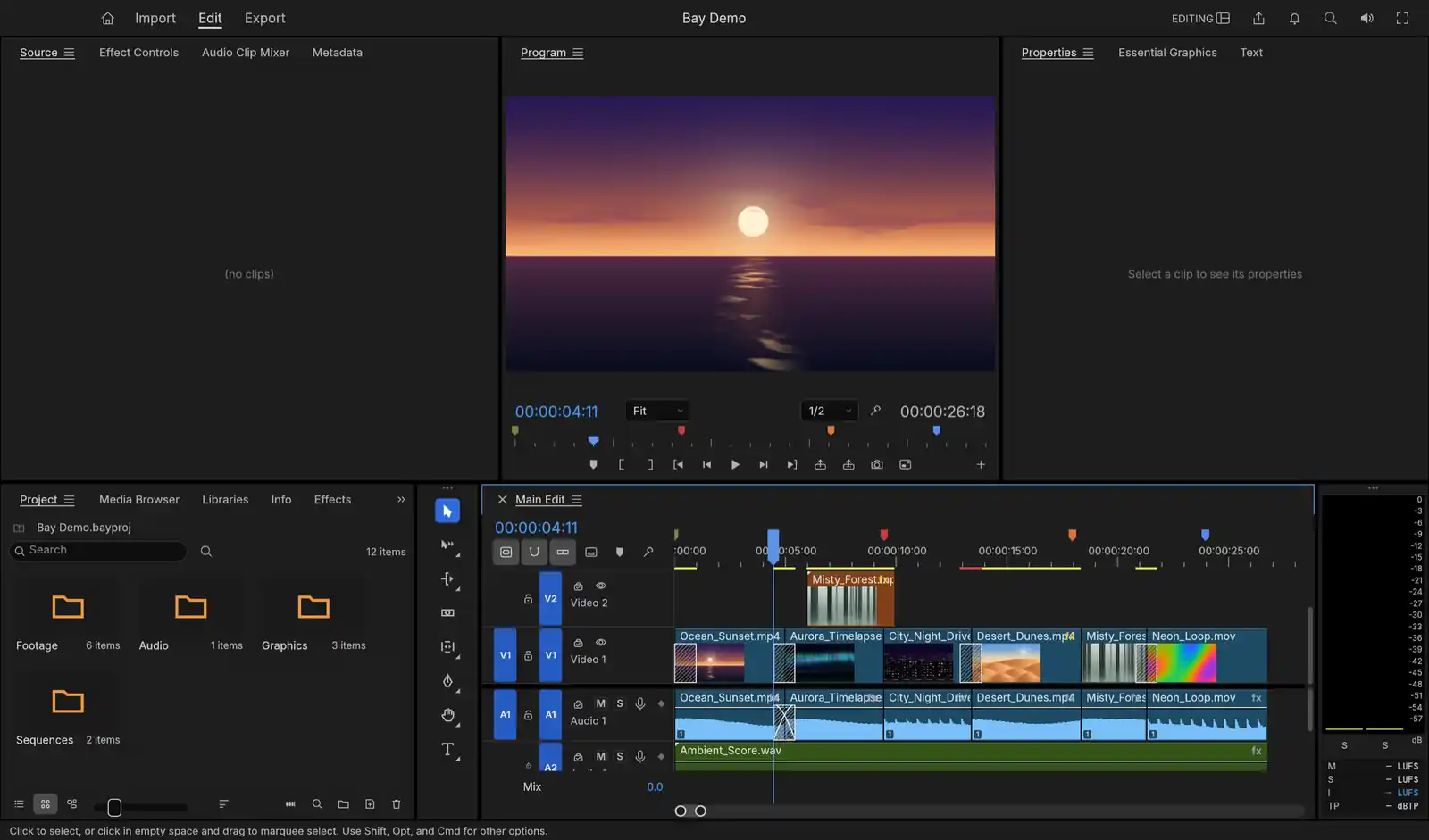
The editor with a demo project open: a sunset in the Program monitor above a timeline of six clips on two video tracks and two audio tracks.
Program · Main EditOpen Bay →

AI video editing

In development · 0.2.1

Bay

An AI video editor for the Mac, laid out the way Premiere is. It transcribes your footage on your own machine, so you cut by deleting words and turn speech into captions, and a click on any object gives you a mask that follows it from frame to frame.
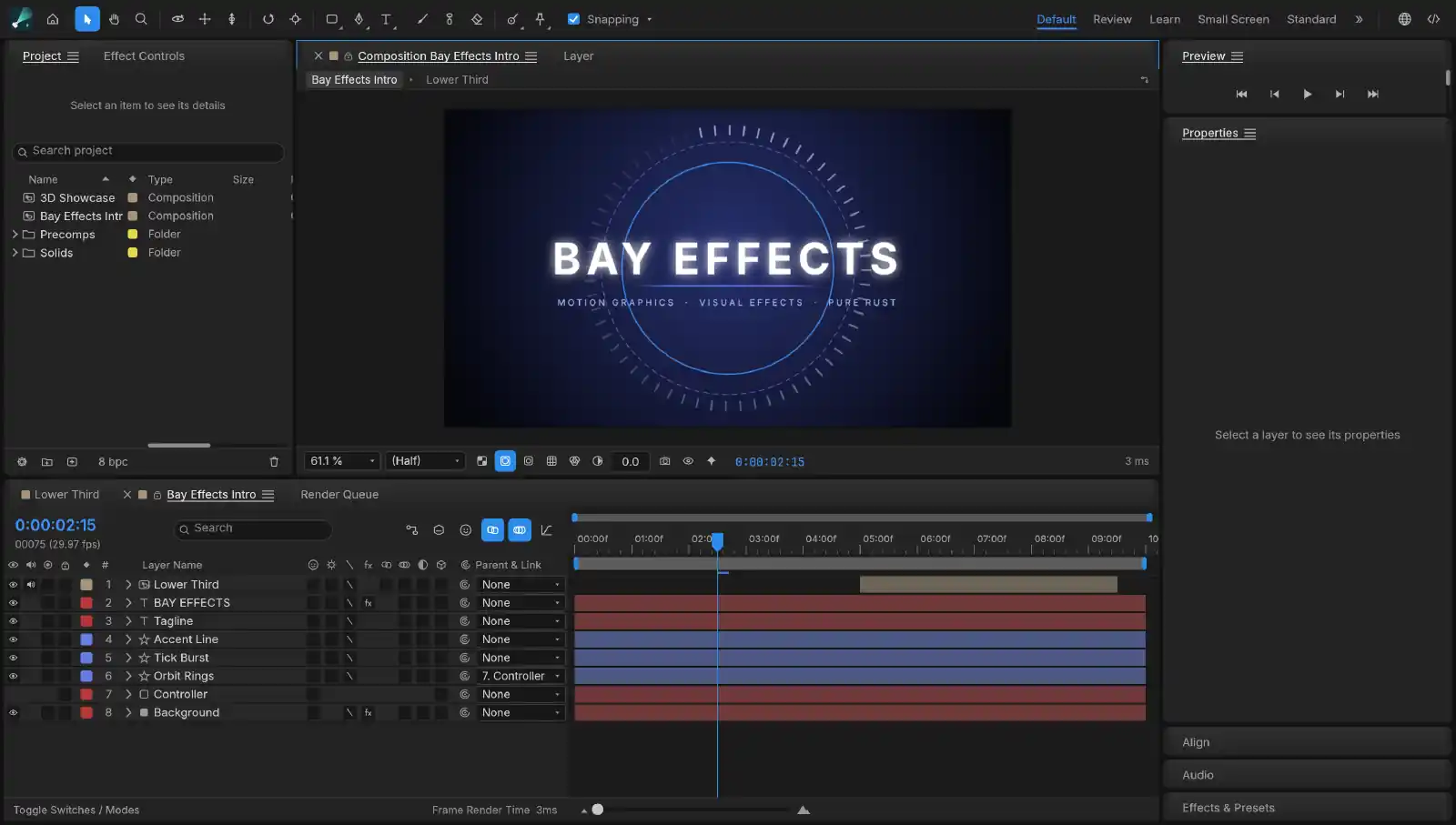
A title animation open in the composition viewer: glowing lettering inside a ring of tick marks, with its eight layers keyframed on the timeline below.
Composition · IntroOpen Bay Effects →

Motion graphics and effects

In development · 0.2.4

Bay Effects

AI-assisted motion graphics and effects for the Mac, laid out the way After Effects is. Roto Brush and face tracking can use trained models that run on your machine, and every action is a command an agent can run, so you can ask for a lower third and watch it being built.

If you know Premiere and After Effects

Everything where you left it, and nothing to rent.

You already know your way around. What changes is that you own the copy on your Mac, and nobody can move the price.

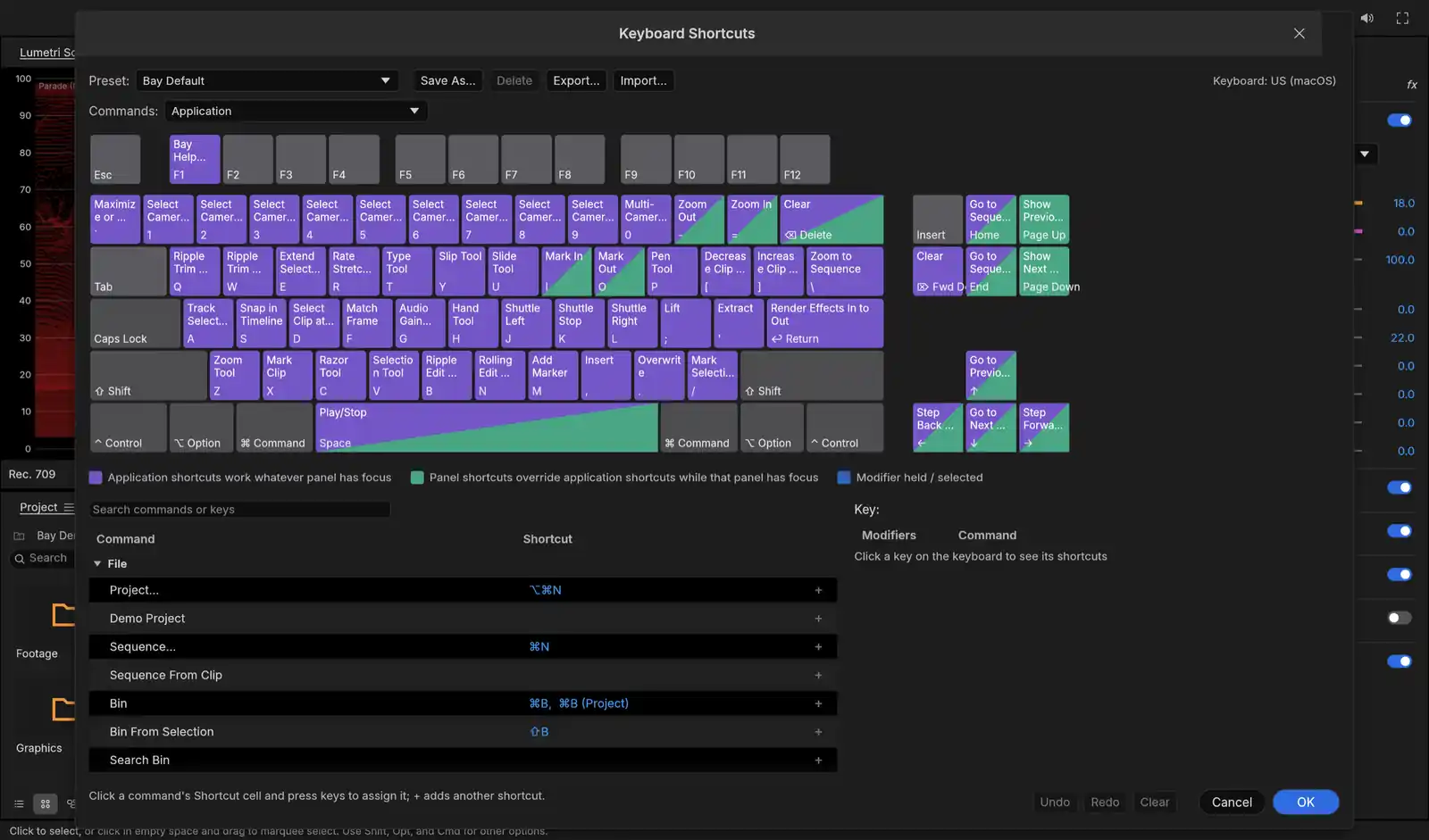
  • The Keyboard Shortcuts editor: a drawn keyboard with each key labelled by its command, such as Ripple Trim on Q and W and Razor Tool on C, above a searchable list of commands.
    Keyboard Shortcuts

    The Source and Program monitors, bins, trim tools and workspaces in Bay sit where Premiere puts them. The shortcut editor has presets for Premiere, Final Cut and Avid, so you keep the keys you spent years learning.

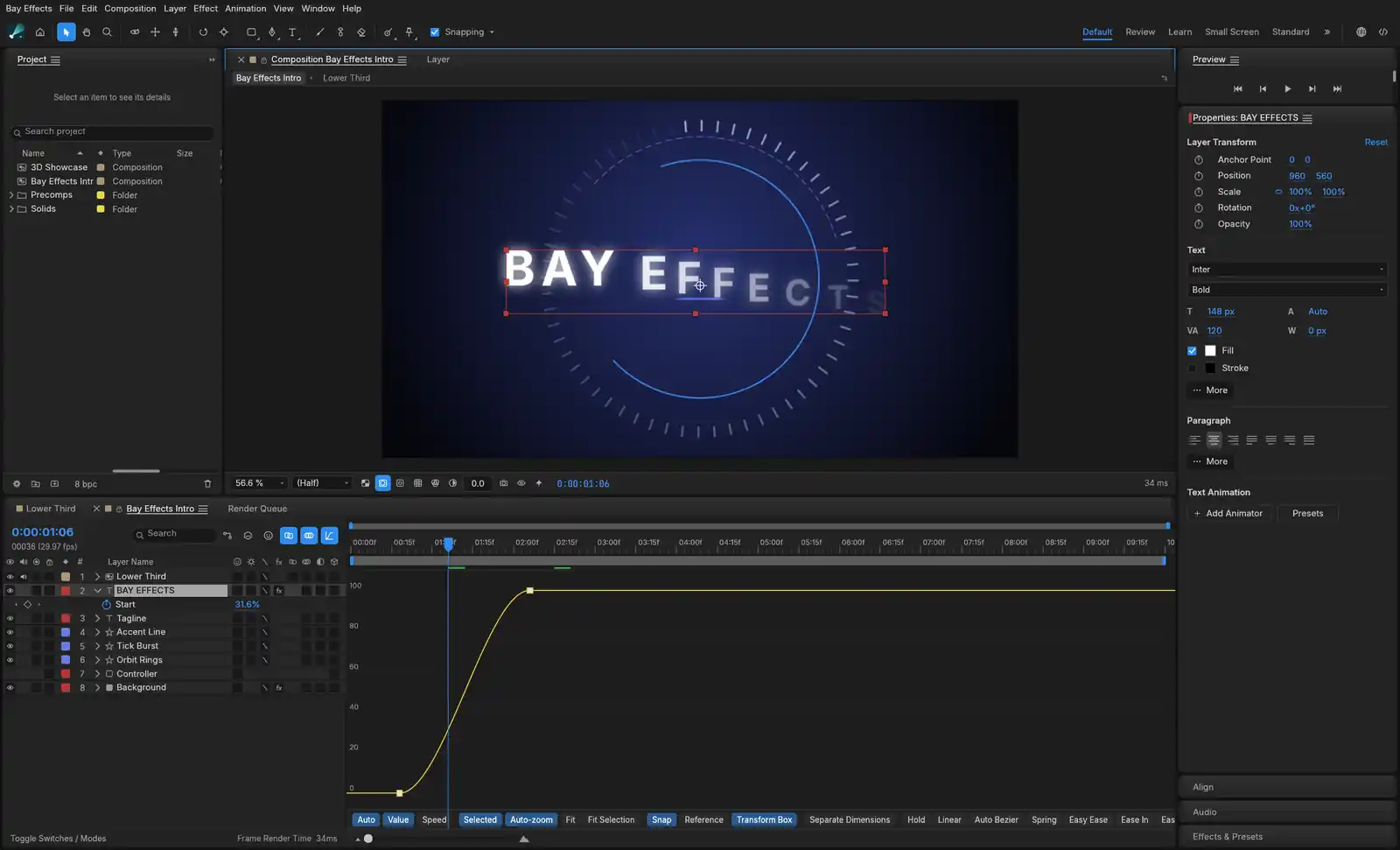
  • The Graph Editor open under a title animation: the curve of the title's text reveal eases from 0 up to 100.
    Graph Editor

    Bay Effects has the Project, Composition, Timeline and Effect Controls panels you expect, and its Graph Editor eases a key the way you would ease it there. Expressions like wiggle and loopOut run as written.

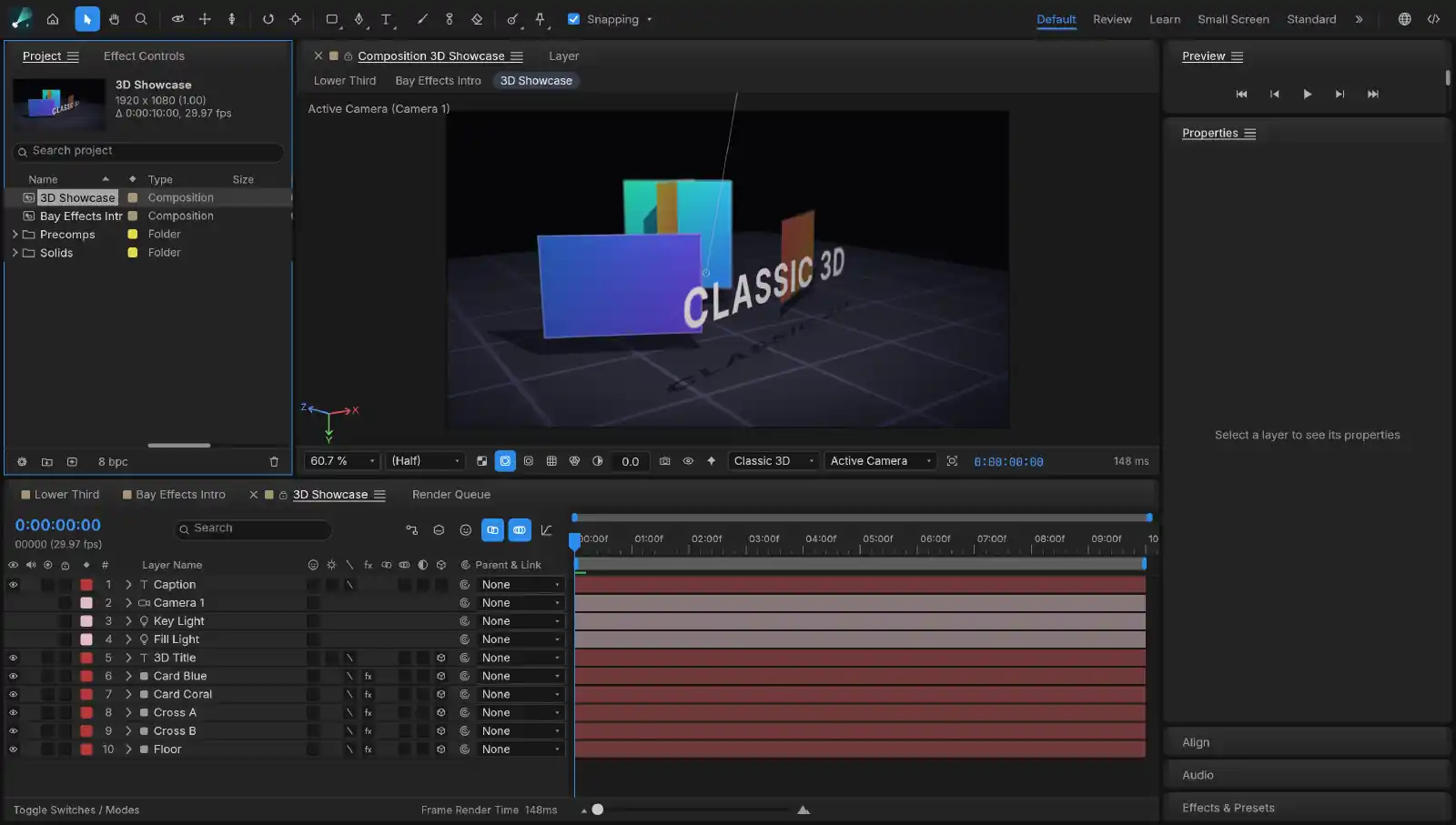
  • A 3D composition seen through its camera: coloured cards, extruded lettering and a floor grid, lit by a key light and a fill light.
    Composition · 3D

    Turn a layer 3D and light it with a key and a fill, seen through a camera you animate like any other layer. Stack effects and layer styles on solids, shapes, text, footage and nested compositions.

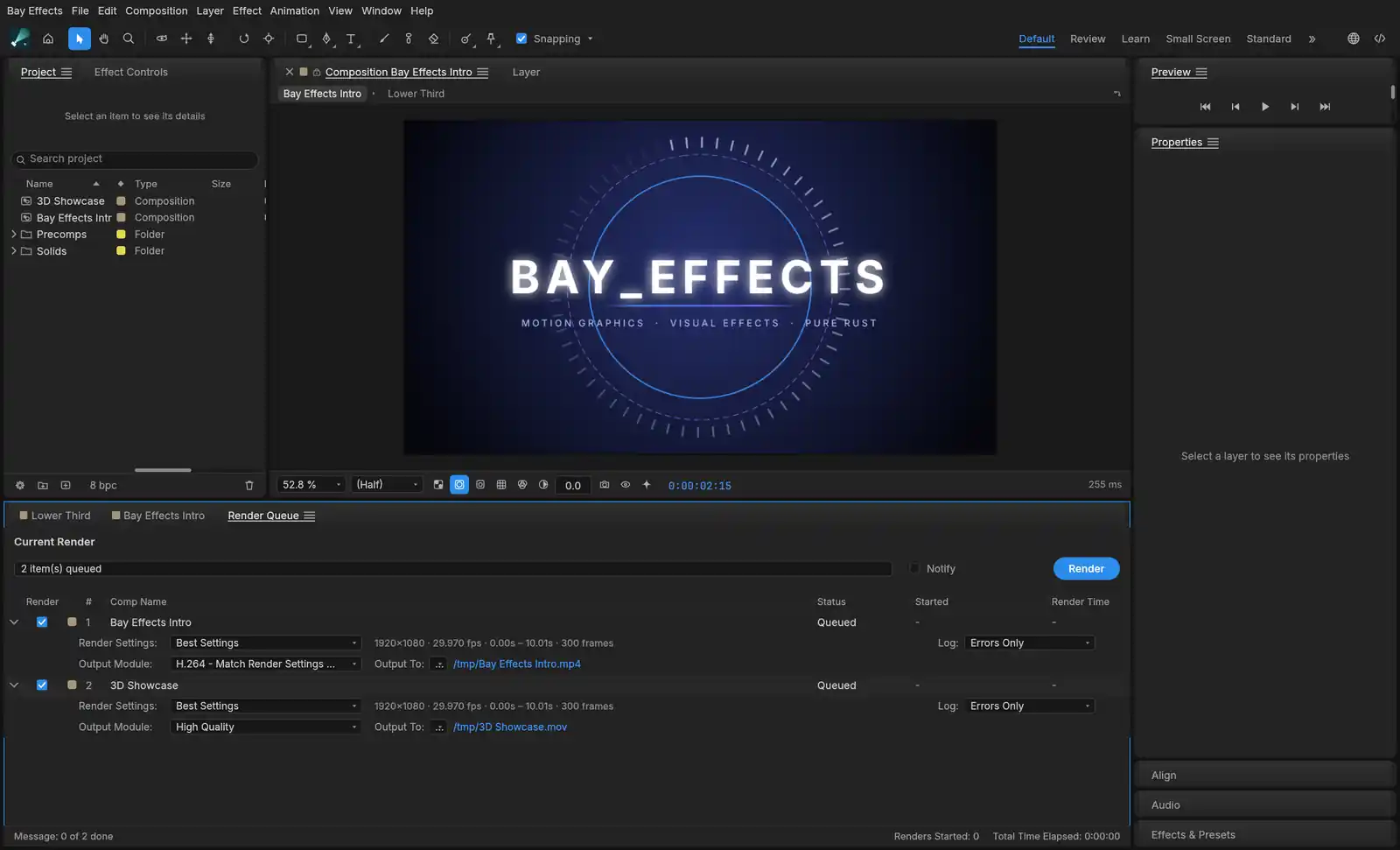
  • The Render Queue with two compositions queued, one to an H.264 MP4 and one to a QuickTime movie, each with its render settings and output path.
    Render Queue

    Bay and Bay Effects decode and encode video themselves, so there is no FFmpeg to install and no codec pack to hunt for. Queue H.264, HEVC, ProRes with alpha or WebM, or export the animation as Lottie for a web page.

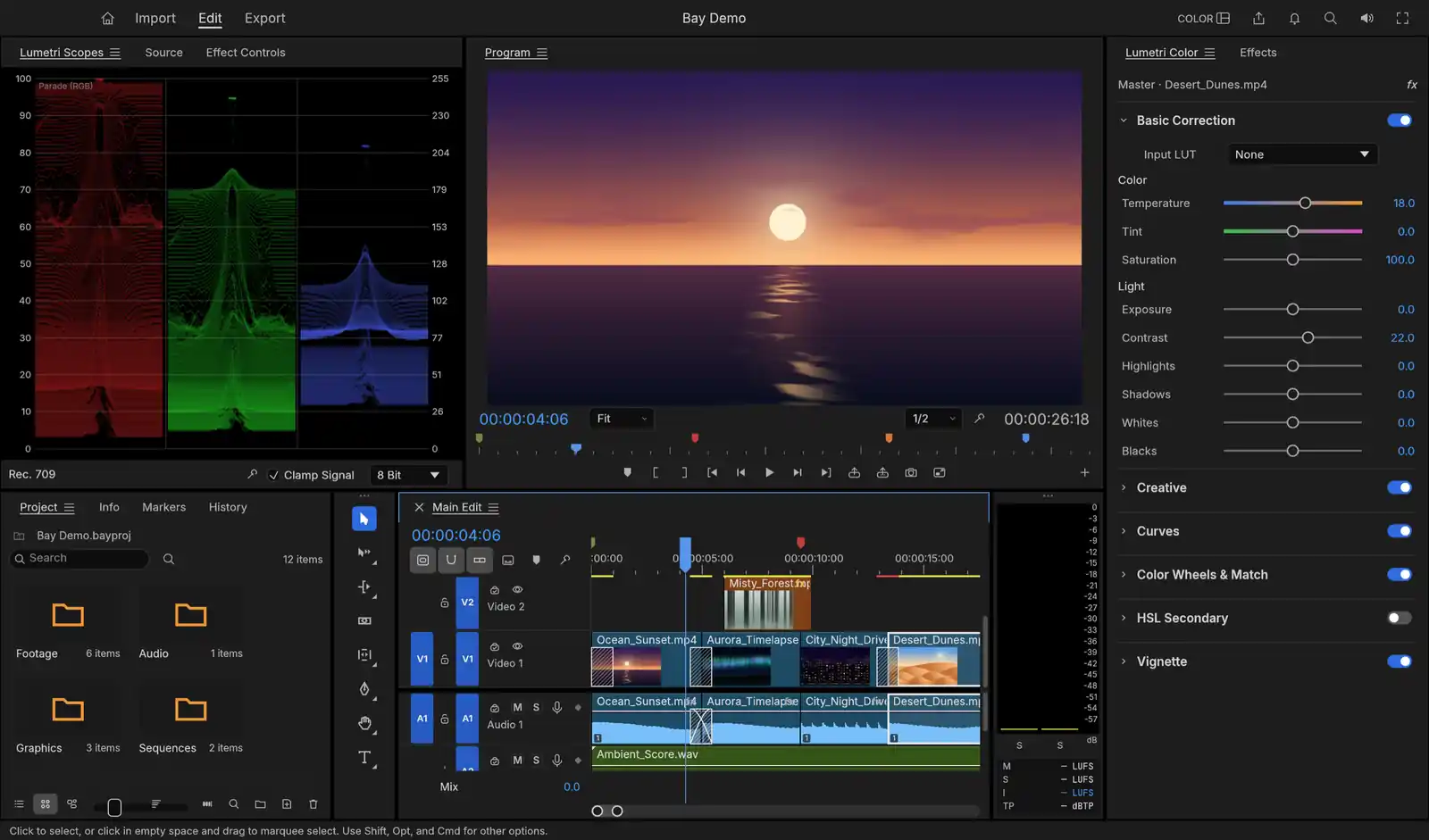
  • The Color workspace: an RGB parade on the left, a sunset in the Program monitor, and the Lumetri Color panel on the right with temperature and contrast raised on a clip of desert dunes.
    Lumetri Color

    Basic correction, curves, colour wheels and HSL keying are computed in 32-bit float, and the scopes read the graded frame. Every edit is worked out in whole-number ticks, so a cut at 29.97 drop-frame lands on the same frame after a hundred edits as it did after one.

  • Each app comes with its command-line tool inside. Install it from the app menu, then add it to Claude, and the agent drives the editor you have open.

Project files

Saw it in a reel? Open the project.

Soon, the animations we post will come with the project that made them. Download it, open it in Bay Effects or Bay, and every layer and keyframe is there to take apart and make your own.

Coming soon

A title animation open in the composition viewer: glowing lettering inside a ring of tick marks, with its eight layers keyframed on the timeline below.
Timeline · 8 layers00:00:02:15

Questions

What people ask first.

Are Bay and Bay Effects free?

Yes. Both apps are free to download and use, with no subscription, no trial and no account.

Which Macs do they run on?

macOS 11 or later, on Apple silicon and Intel Macs. Each app is one disk image that runs on both.

Does the AI run on my Mac?

Transcription (Whisper), click-to-mask and Auto Reframe (MobileSAM), Roto Brush and face tracking run on your Mac. Generated narration and music are the only AI features that use the cloud: they go through your own Google account, and Bay shows what it will send and asks first.

How do I tell the AI what to do?

Choose Install Command Line Tool from the app menu, then add the app to Claude with the command “claude mcp add bay -- bay mcp”. Ask for a rough cut or a lower third, and the agent works in the project you have open, one step at a time in your undo history.

Will it edit the way I like?

Save what you change as a preset: an effect stack, a title or an export setting. The agent can list your presets and apply them by name, so the next edit starts from your settings. Presets stay on your Mac.

Can I keep my Premiere shortcuts?

Yes. Bay's shortcut editor has presets for Premiere, Final Cut and Avid, and its panels sit where Premiere puts them. Bay Effects is laid out the way After Effects is.

Do the apps send my footage anywhere?

No. Your footage, projects and anything you type stay on your disk. The apps send crash, performance and usage reports to our own server so we can fix what breaks, and those reports never carry footage, file names, project contents or text you type.

Free, for the Mac

Start cutting.

Bay Effects

Motion graphics and effects

Both apps are free, run on macOS 11 or later on Apple silicon and Intel, and you don’t need an account. They send crash, performance and usage reports to our own server so we can fix what breaks, and those reports never carry your footage, file names, project contents or anything you type. Questions go to hello@marlstudio.com.