01
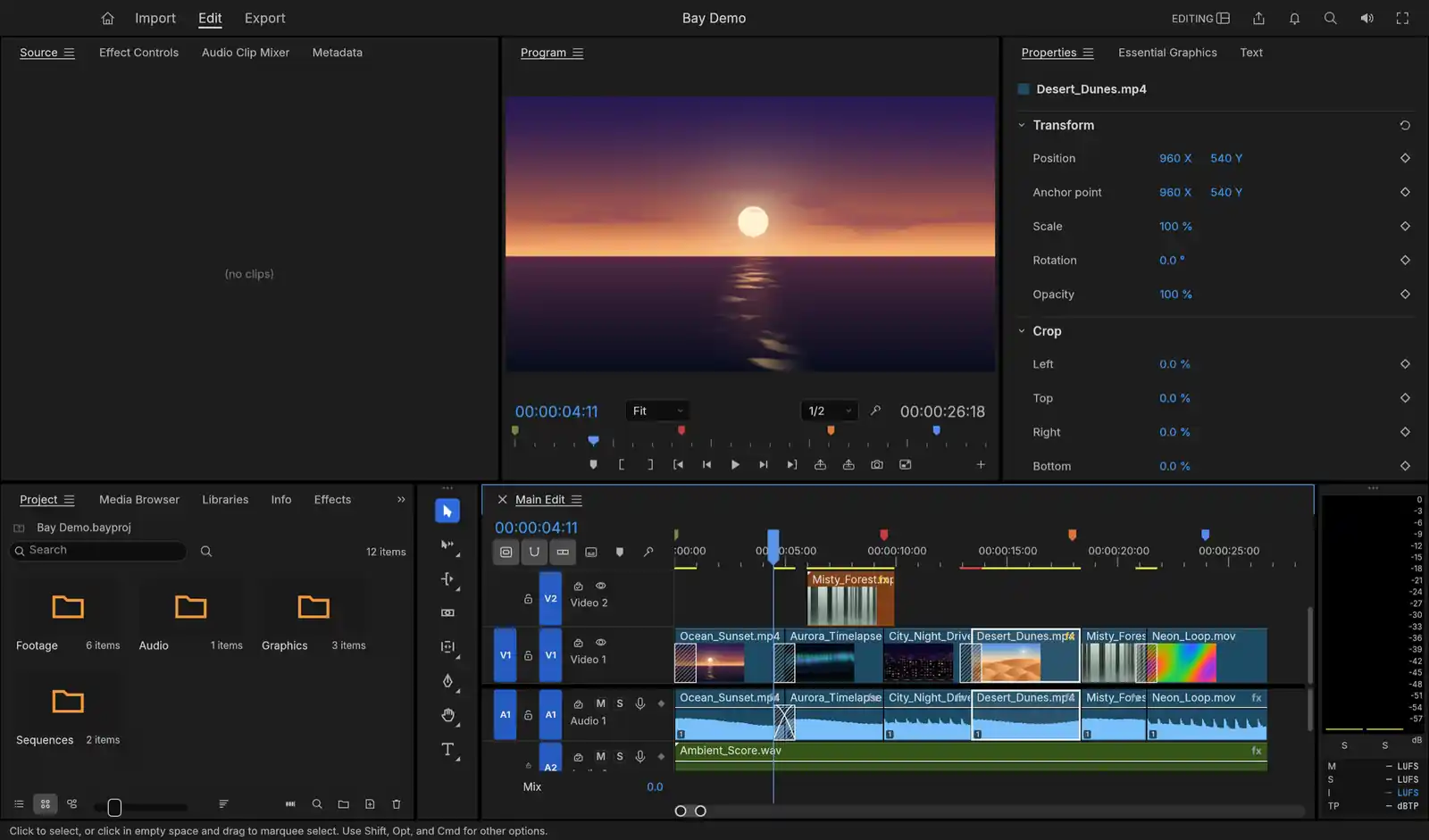
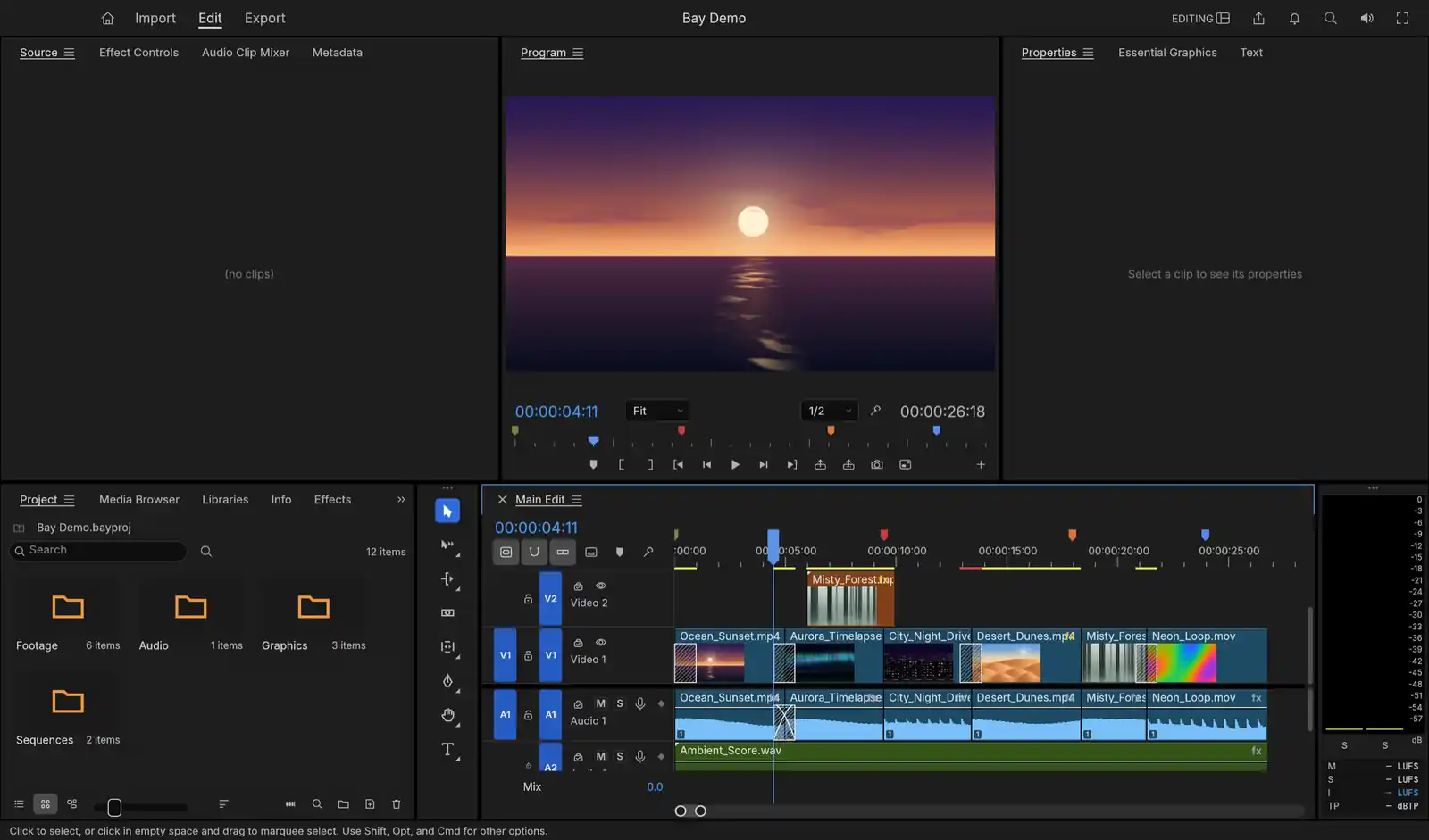
Laid out the way Premiere is
Source and Program monitors, bins, trim tools and workspaces sit where Premiere puts them. Select a clip and Properties shows its position, scale, rotation, opacity and crop, ready to keyframe.
AI video editing
In development
v0.2.1
Cut your video by asking, by deleting words, or by hand.
An AI video editor for the Mac, laid out the way Premiere is. It transcribes your footage on your own machine, so you cut by deleting words and turn speech into captions, and a click on any object gives you a mask that follows it from frame to frame.
How you work in Bay
01
“Remove every um and every long pause from the interview.” The agent runs the transcript commands, and the cut appears on the timeline, step by step in your undo history.
02
One pause was there for a reason. Trim it back by hand in the timeline, with the tools and shortcuts where Premiere puts them.
03
Save your export settings as a preset, then ask for it by name. The agent exports the next interview the same way you would.
01
Source and Program monitors, bins, trim tools and workspaces sit where Premiere puts them. Select a clip and Properties shows its position, scale, rotation, opacity and crop, ready to keyframe.
02
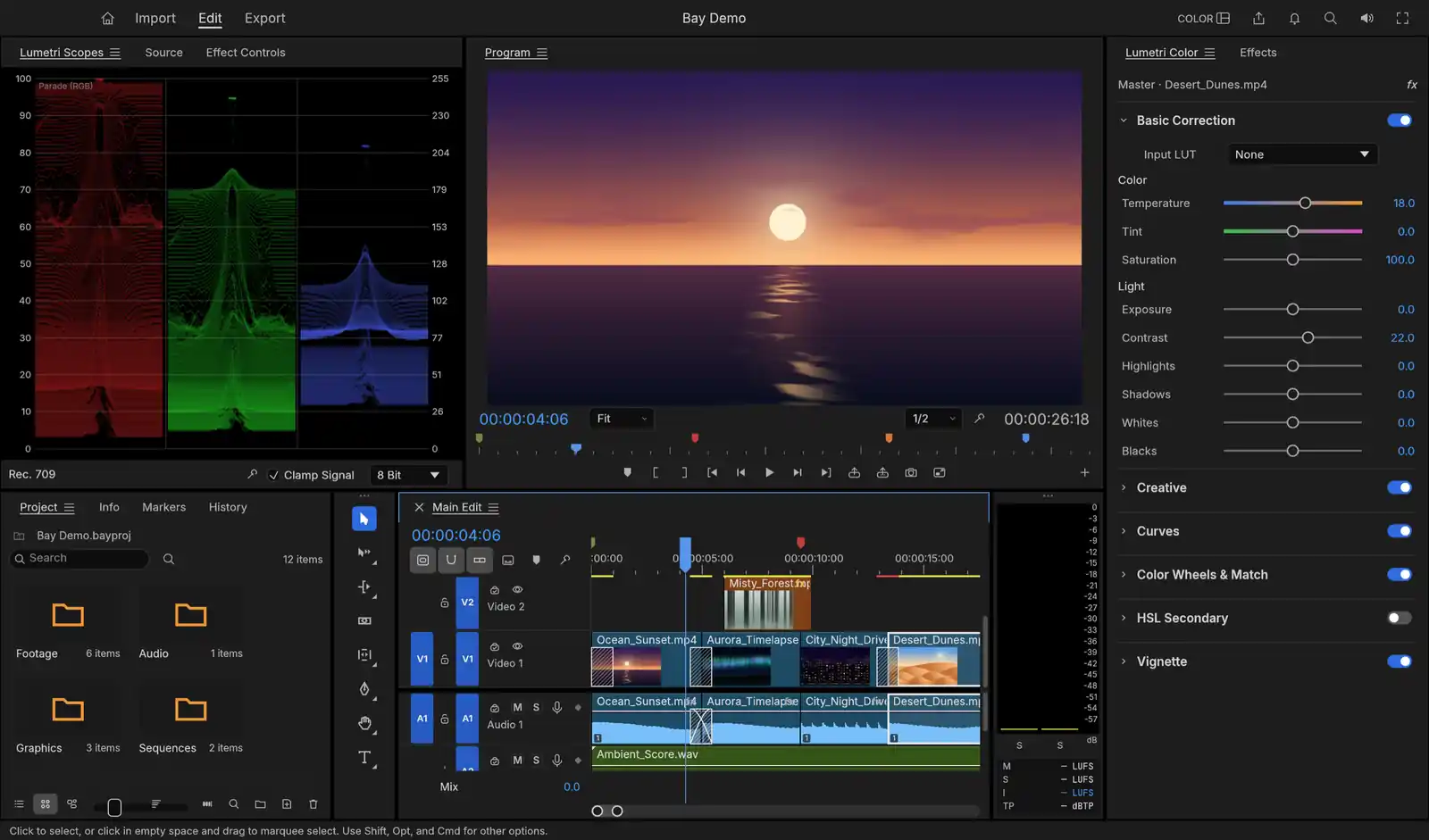
Basic correction, curves, colour wheels and HSL keying are computed in 32-bit float, and the scopes read the graded frame. Every edit is worked out in whole-number ticks, so a cut at 29.97 drop-frame lands on the same frame after a hundred edits as it did after one.
03
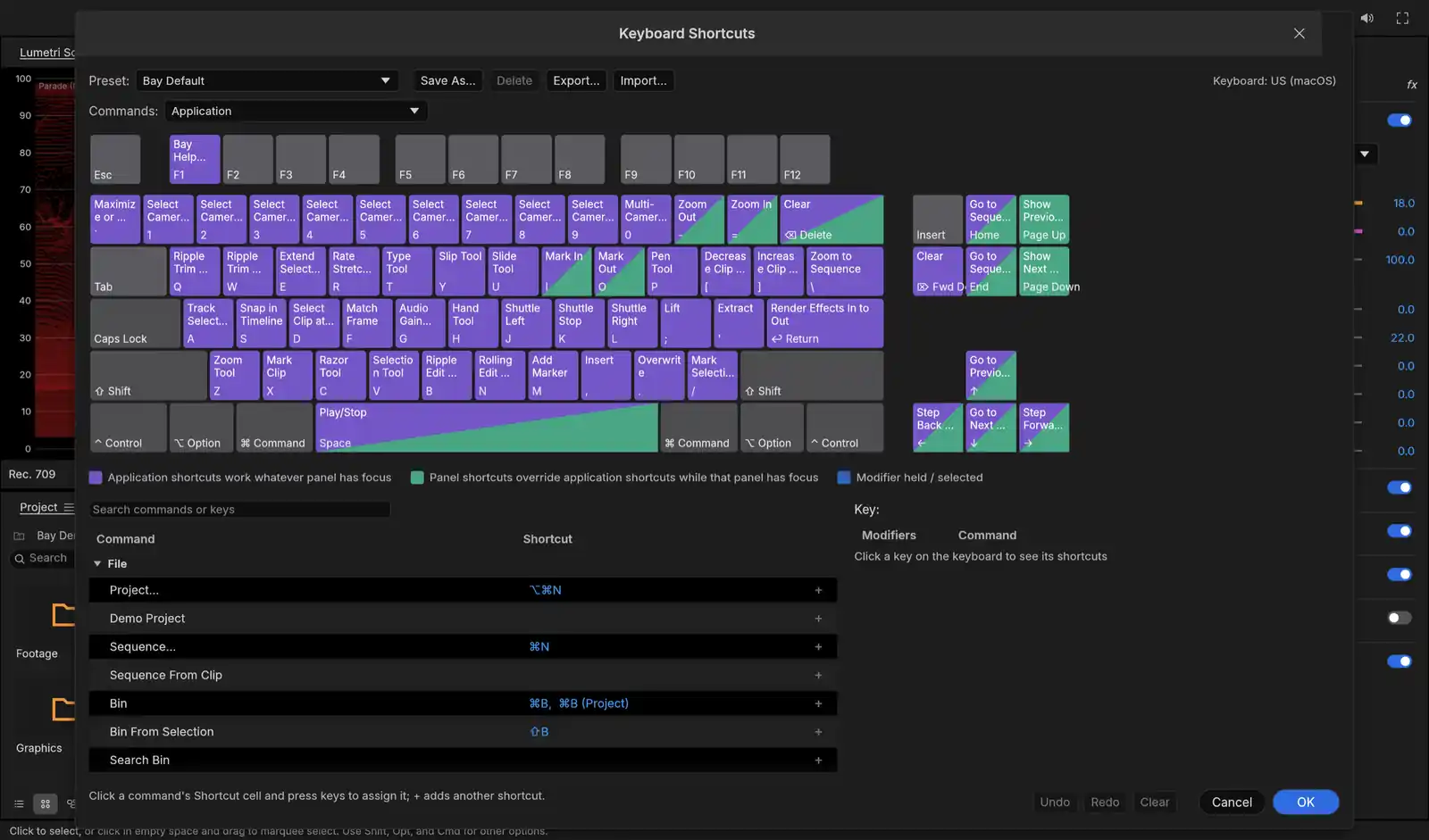
The shortcut editor draws your keyboard with every key labelled by its command, and has presets for Premiere, Final Cut and Avid, so you keep the keys you spent years learning.
04
Transcribe a clip and its dialogue appears as text in the Text panel, with speakers labelled if you ask for them. Select words to cut them from the sequence, or remove every um and every long pause in one step. Whisper recognises the speech on your Mac, and the model is downloaded once, after Bay asks you.
05
Turn the transcript into captions on a caption track, sized and timed for reading, with the spoken word highlighted for short-form video. Burn them into the export or save them as SRT, WebVTT or SCC.
06
Click a person or a thing in the Program monitor, or drag a box around it, and Bay draws a mask that follows it from frame to frame. Auto Reframe turns a 16:9 sequence into 9:16, 1:1 or 4:5 and keeps the subject in frame. Both run MobileSAM on your Mac.
07
Type a script and a Gemini voice reads it, or describe a music bed and Lyria writes one, and Bay places the audio on a track. These are the only AI features that use the cloud: they go through your own Google account, and Bay shows what it will send and asks before each request.
08
Every menu item, drag and setting is a command, and the same commands are open to the bay command-line tool and an MCP server. Ask Claude to assemble a rough cut, and each step lands in your undo history. You can take over at any point.
Questions
Yes. Bay is free to download and use, with no subscription and no account.
It is laid out the way Premiere is: Source and Program monitors, bins, a timeline with trim tools, and workspaces. The shortcut editor has presets for Premiere, Final Cut and Avid.
Yes. Transcribe a clip with Whisper on your Mac, then select words to cut them from the sequence, or remove every filler word and long pause in one step.
Yes. The transcript becomes captions on a caption track, with the spoken word highlighted, and you can burn them in or save them as SRT, WebVTT or SCC.
Yes. Every command in Bay is open to its command-line tool and an MCP server. Install the tool from the app menu, add it to Claude with “claude mcp add bay -- bay mcp”, and ask. Each step lands in your undo history.
H.264, HEVC, ProRes (with alpha) and WebM, using the app's own encoders, so there is no FFmpeg to install.
What it costs, and what it sends
Bay is free, there is no subscription, and you don’t need an account. Your footage stays on your disk: speech to text and object masks run on your Mac. Generated narration and music use your own Google account and ask before each request. The app sends crash, performance and usage reports to our own server so we can fix what breaks. They never carry your footage, file names, project contents or anything you type.